dashmine

Minecraft Server Management Made Simple

Open-source web control panel for Linux and Windows. Manage servers, plugins, mods, and files with an intuitive interface.
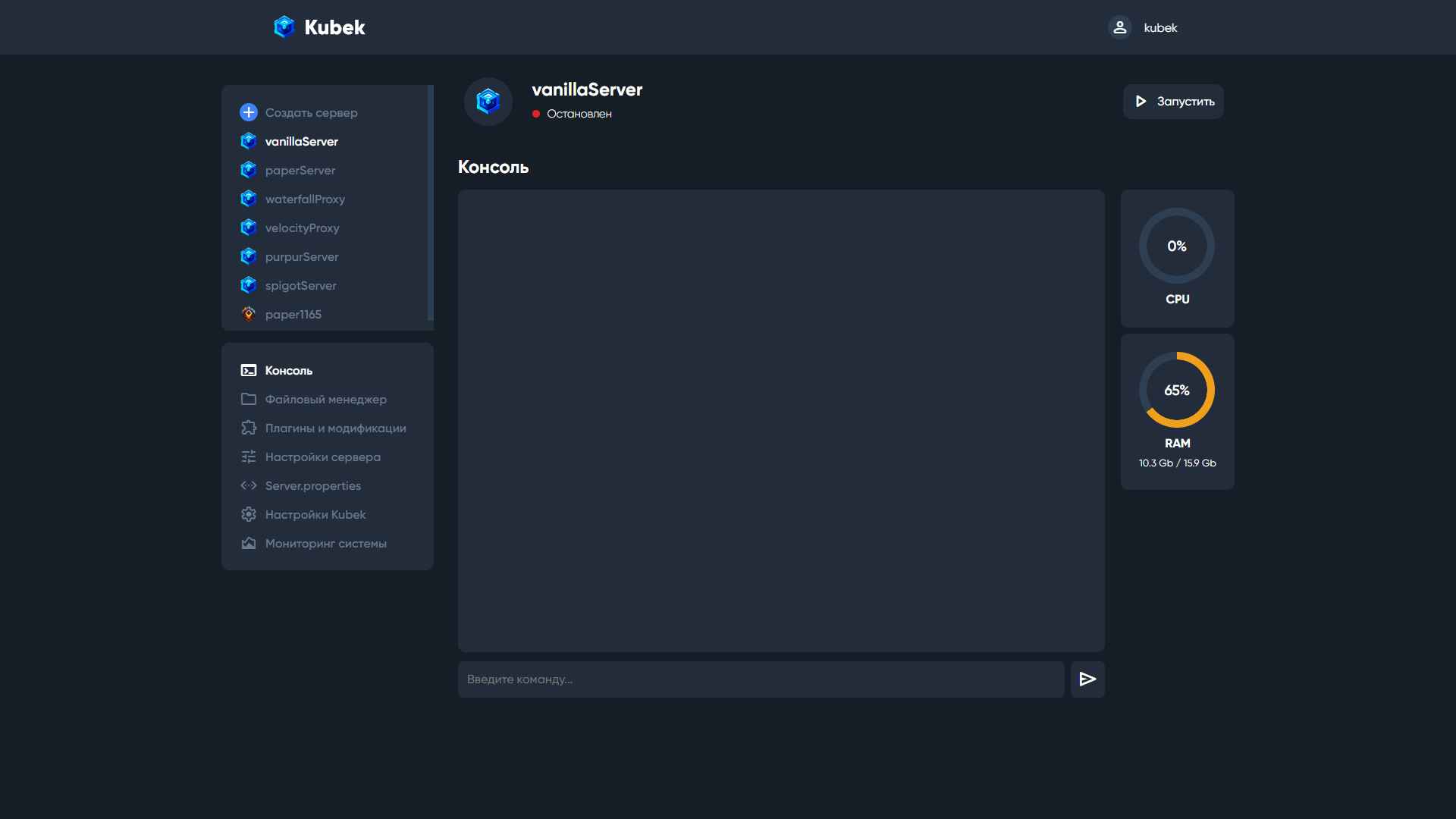
Dashboard preview
Trusted by the Minecraft community
500+
Active Servers
2K+
GitHub Stars
50+
Contributors
10K+
Downloads

Everything You Need to Manage Minecraft Servers

Powerful features designed for server administrators. From plugin management to file editing, dashmine has you covered.

Intuitive server control
Single-page UI for easy server management and monitoring.

Server Status
Online
Players:12/20
CPU:45%
RAM:2.1GB / 4GB

Plugins & mods manager
Install, update, and configure plugins and mods effortlessly.

Installed Plugins

EssentialsX
v2.20.1
WorldEdit
v7.2.15
Vault
v1.7.3

File manager with syntax highlighting
Edit server files directly with code highlighting support.

server.properties
server-port=25565
max-players=20
gamemode="survival"
difficulty="normal"
pvp=true

Integrated FTP server
Built-in FTP for convenient file transfer and management.

FTP Server
ftp://localhost:21
/plugins
12 files
/worlds
3 files

Users and roles system
Control access with granular permissions and role management.

Access Control

Admin
Owner
Edit
Moderator
Moderator
Edit
Player
User
Edit

Linux & Windows support
Run dashmine on your preferred operating system.

Cross-Platform

Run on Linux or Windows

Linux
Ubuntu, Debian, CentOS
Windows
Windows 10, 11, Server
Docker support available for easy deployment

Frequently Asked Questions

Everything you need to know about dashmine and managing your Minecraft servers

What is dashmine?
dashmine is an open-source web control panel for Minecraft servers. It's a fork of kubek that provides an intuitive interface for managing your Minecraft servers on both Linux and Windows platforms.
What server types does dashmine support?
dashmine supports all major Minecraft server types including Vanilla, PaperMC, Spigot, Bukkit, Forge, Fabric, and more. You can easily switch between different server cores through the interface.
How do I install dashmine?
Download the latest release from GitHub, extract the files, and run the installation script for your platform. Detailed installation instructions are available in the README file. The setup process takes just a few minutes.
Can I manage plugins and mods with dashmine?
Yes! dashmine includes a built-in plugin and mod manager that lets you install, update, and configure plugins and mods directly from the web interface. No need to manually upload files via FTP.
Does dashmine have a file manager?
Absolutely. dashmine features an integrated file manager with syntax highlighting for configuration files. You can edit server.properties, plugin configs, and other files directly in your browser.
Is dashmine really free?
Yes, dashmine is completely free and open-source under the MIT license. You can use it for personal or commercial purposes, modify it, and contribute to its development on GitHub.

Start managing your servers today

Join the community of server administrators using dashmine to manage their Minecraft servers with ease. Free and open-source forever.